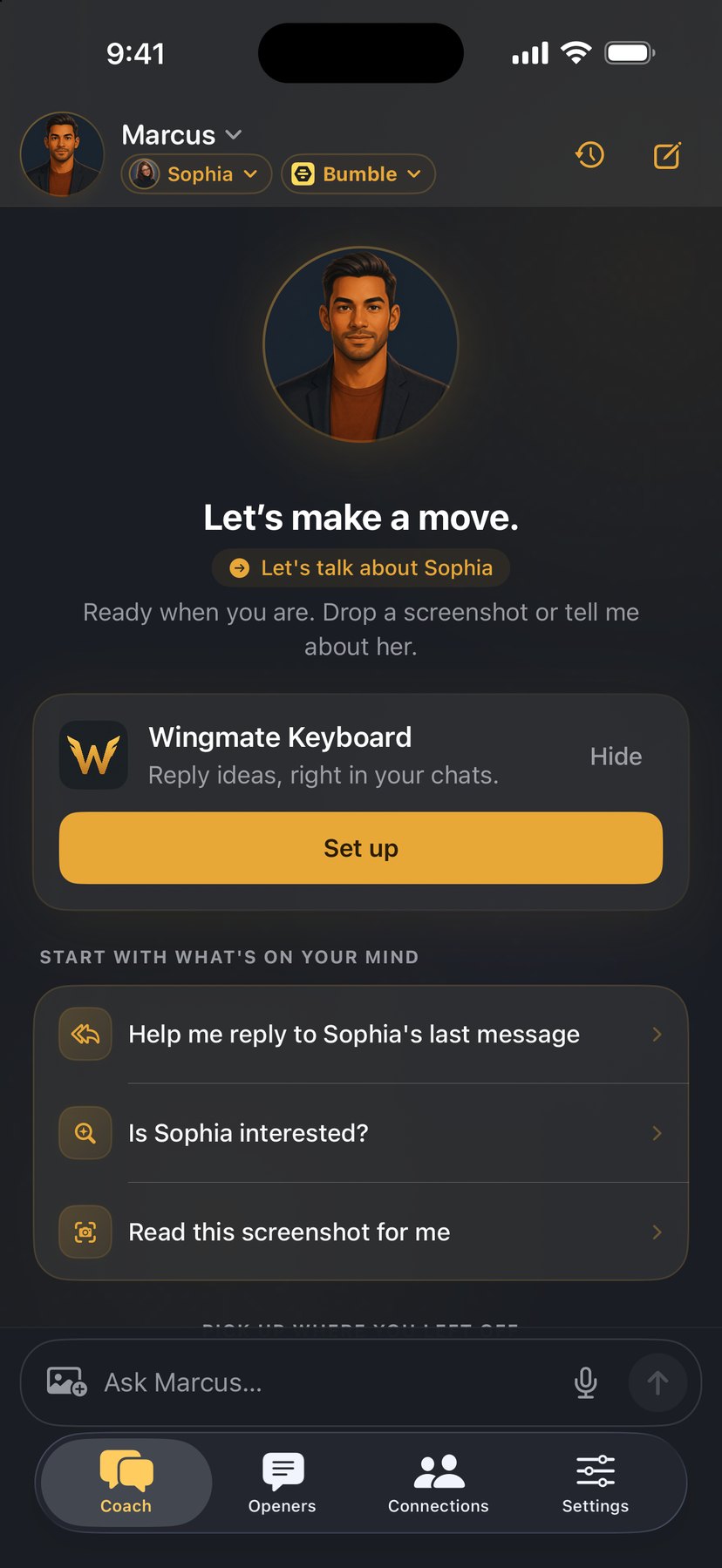
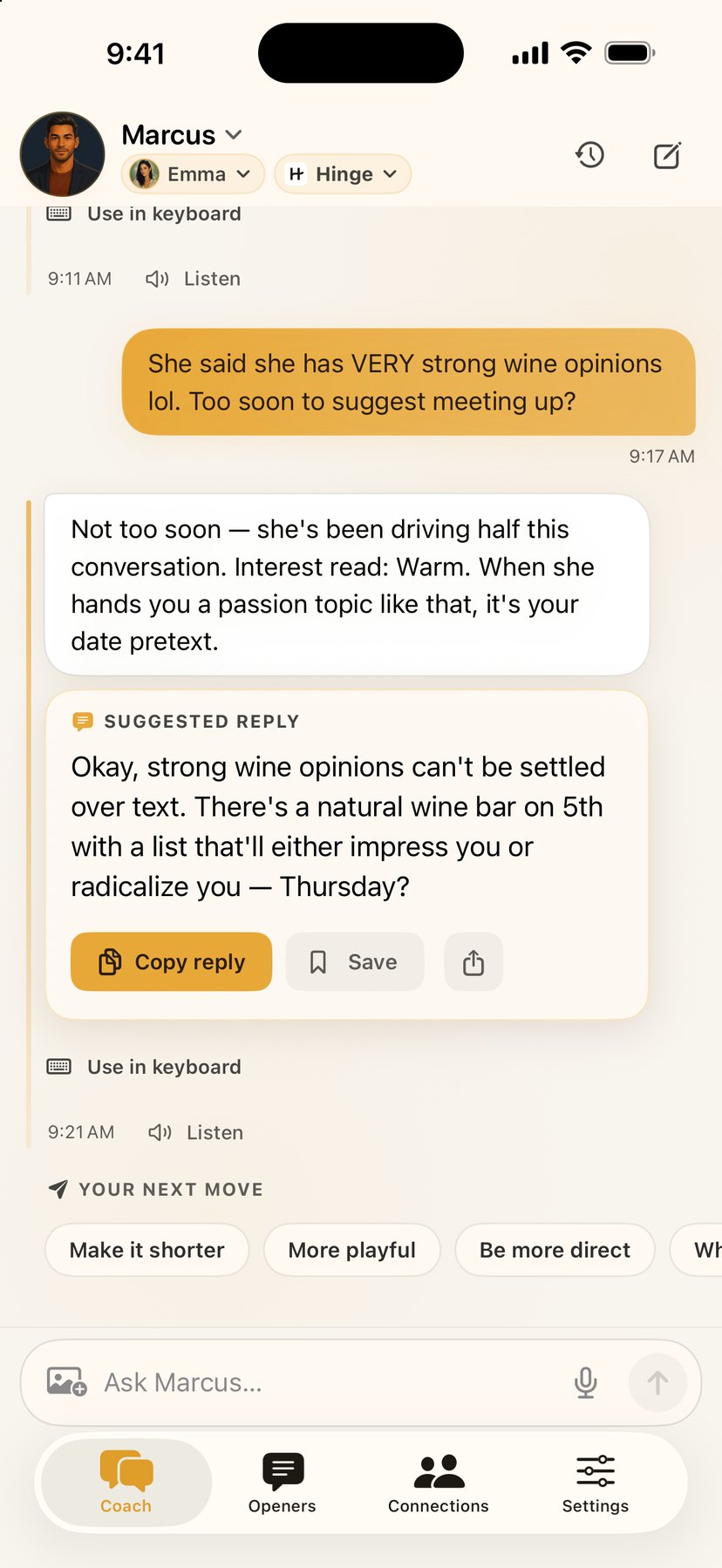
Four coaches, four perspectives. Drop in a screenshot and get replies you can make your own, tuned to Tinder, Hinge, Bumble, Instagram, Snapchat, Messages, or any app.
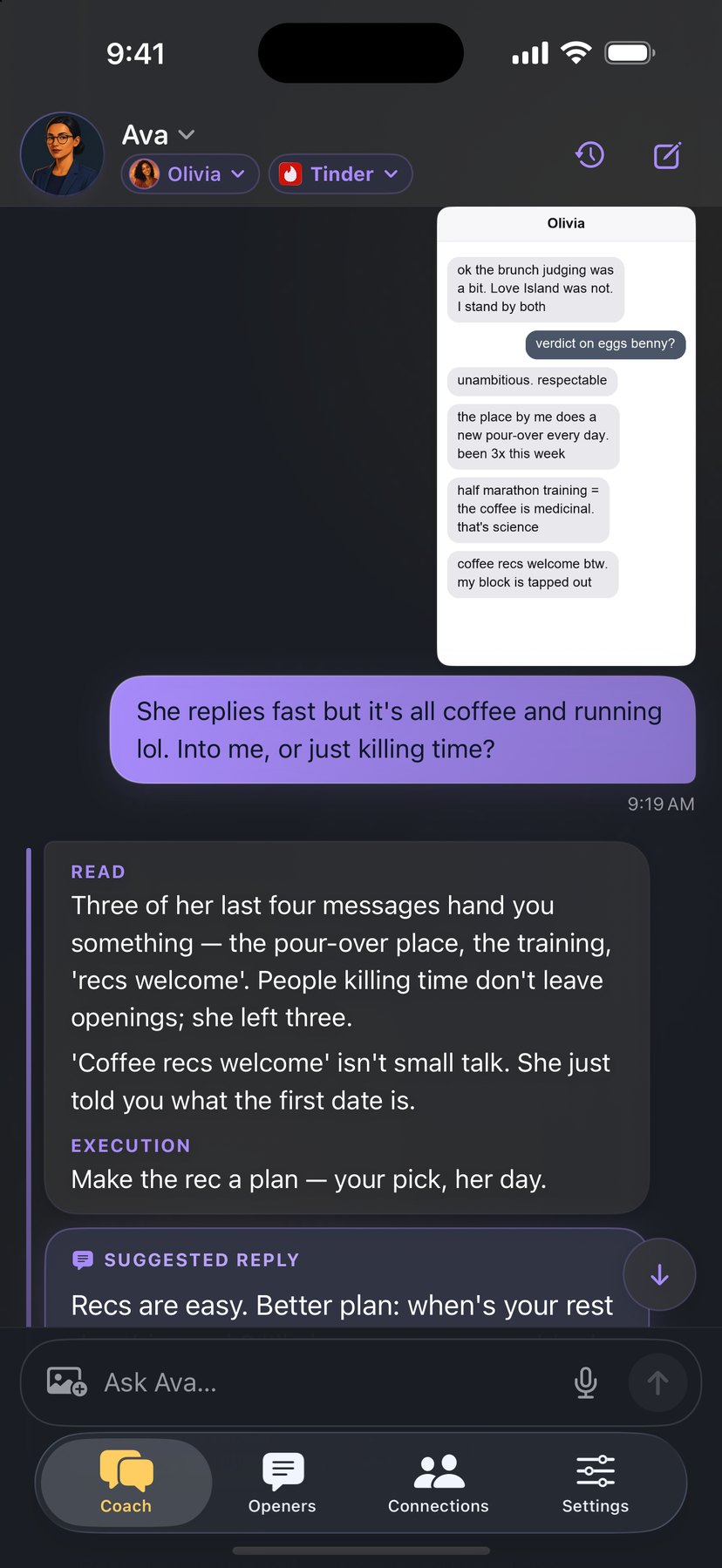
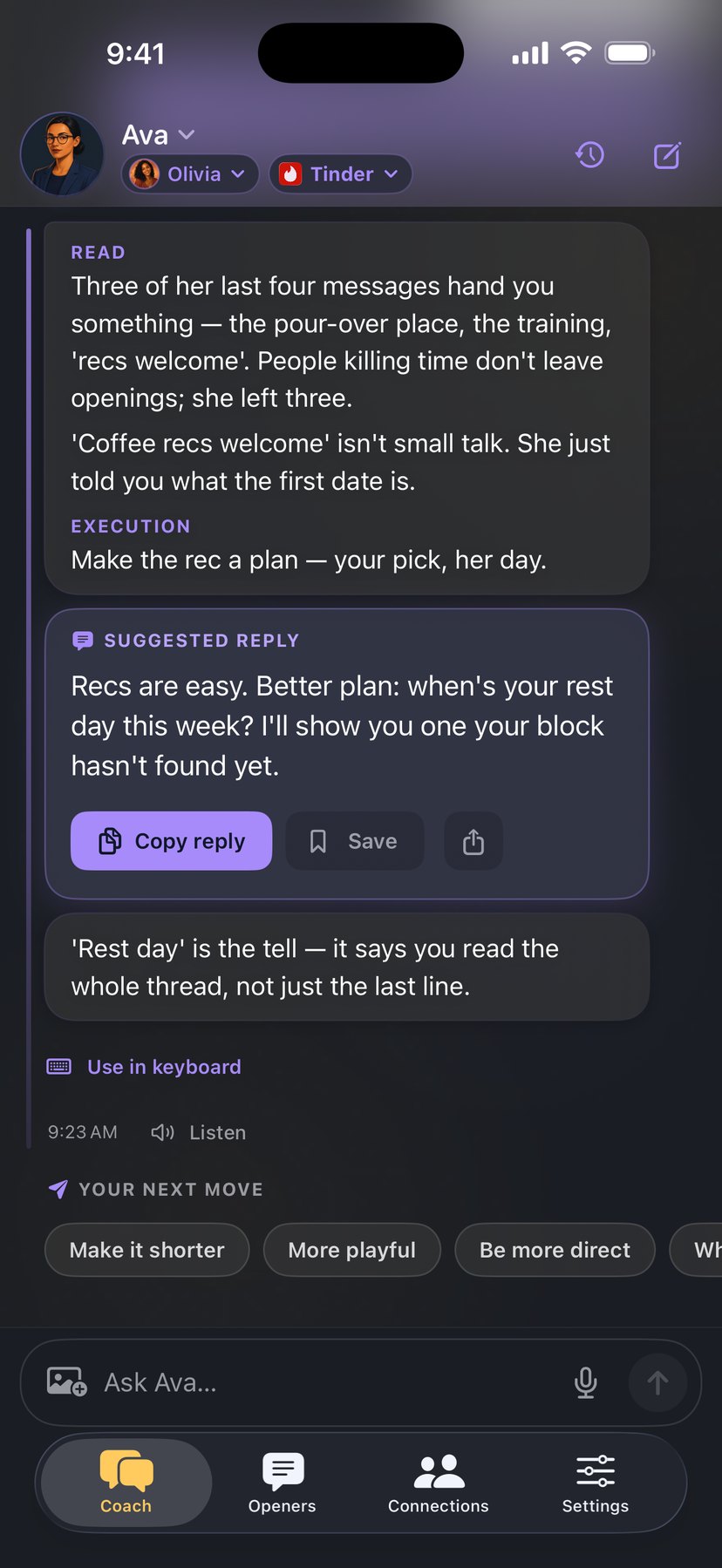
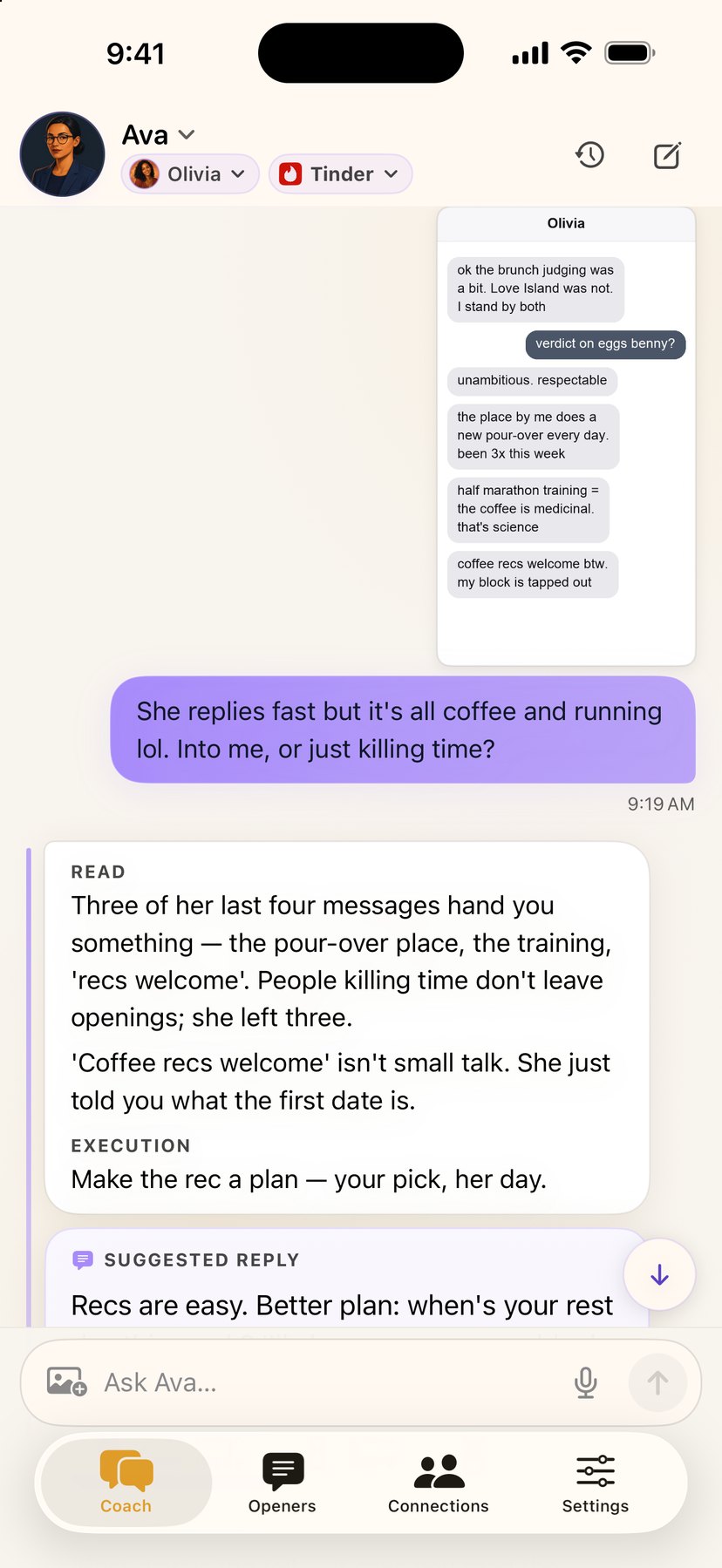
One session with Ava, start to finish. The thread goes in, you ask your question, and her read streams back with a reply you can copy.
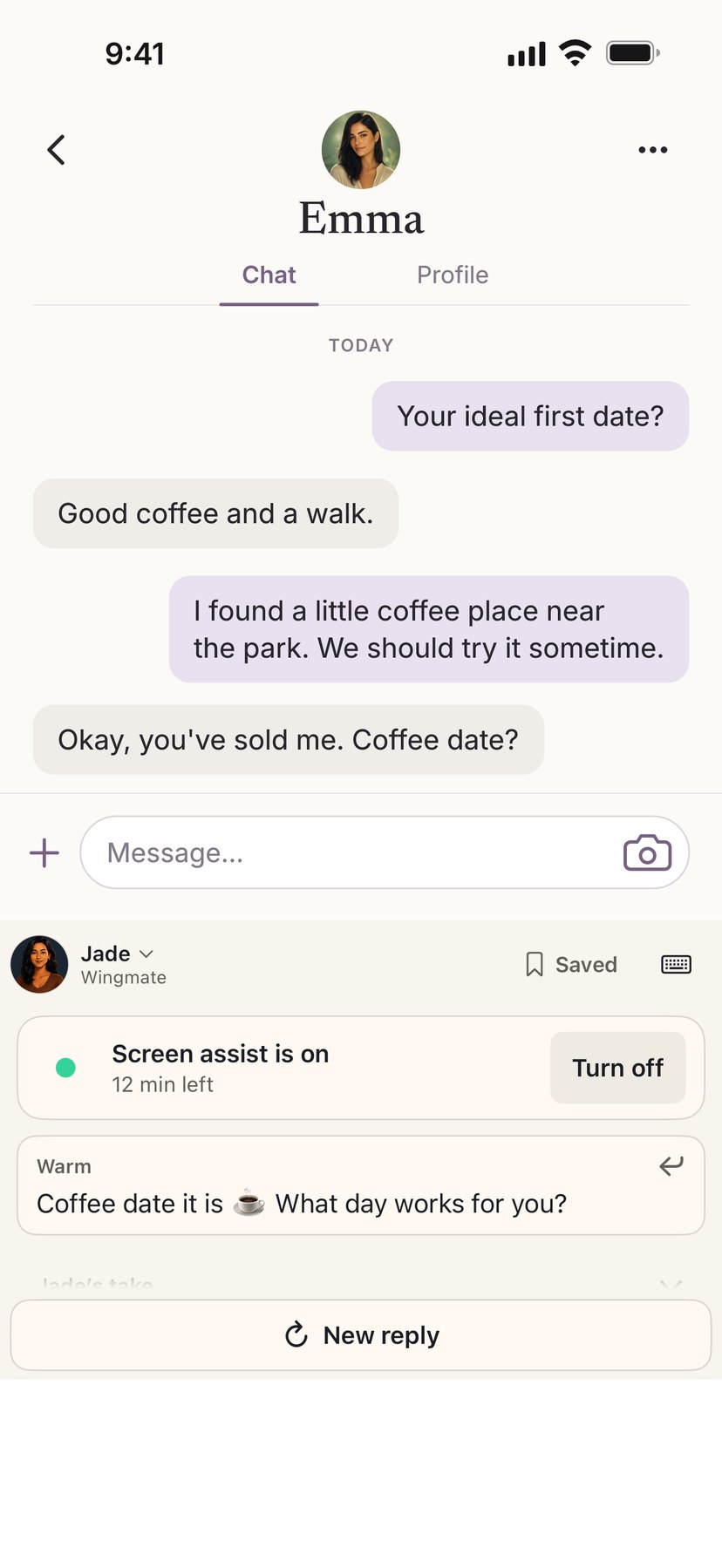
Stay in the conversation. Switch to the Wingmate keyboard, tap Reply, and your coach reads what's on your screen and suggests a reply for you to edit and send.
Start screen assist, open the chat, and switch to Wingmate with the globe key. Each time you tap Reply, the keyboard sends one picture of your screen to your coach, who writes a suggestion that fits the thread.
Live replies need Allow Full Access and an internet connection, and each one uses a daily coaching message. Some apps and secure text fields don't allow custom keyboards or screen recording.

Example conversation
Wingmate reads your conversations, knows the app you're on, and gives you advice that fits the moment.
Share a screenshot of the conversation. Your coach tells you what's working, what isn't, and what to send next.
Tap the mic and talk instead of typing. Tap Listen to hear a reply in your coach's own voice.
Tell your coach what's on their profile and get openers written for that person, on that app.
Tinder is short and punchy. Hinge runs on prompts. On Bumble, you each get one opening message. Pick the app you're on and your coach adapts to how it works.
Date ideas that fit what they're into, and a simple way to ask. Show up with a plan.
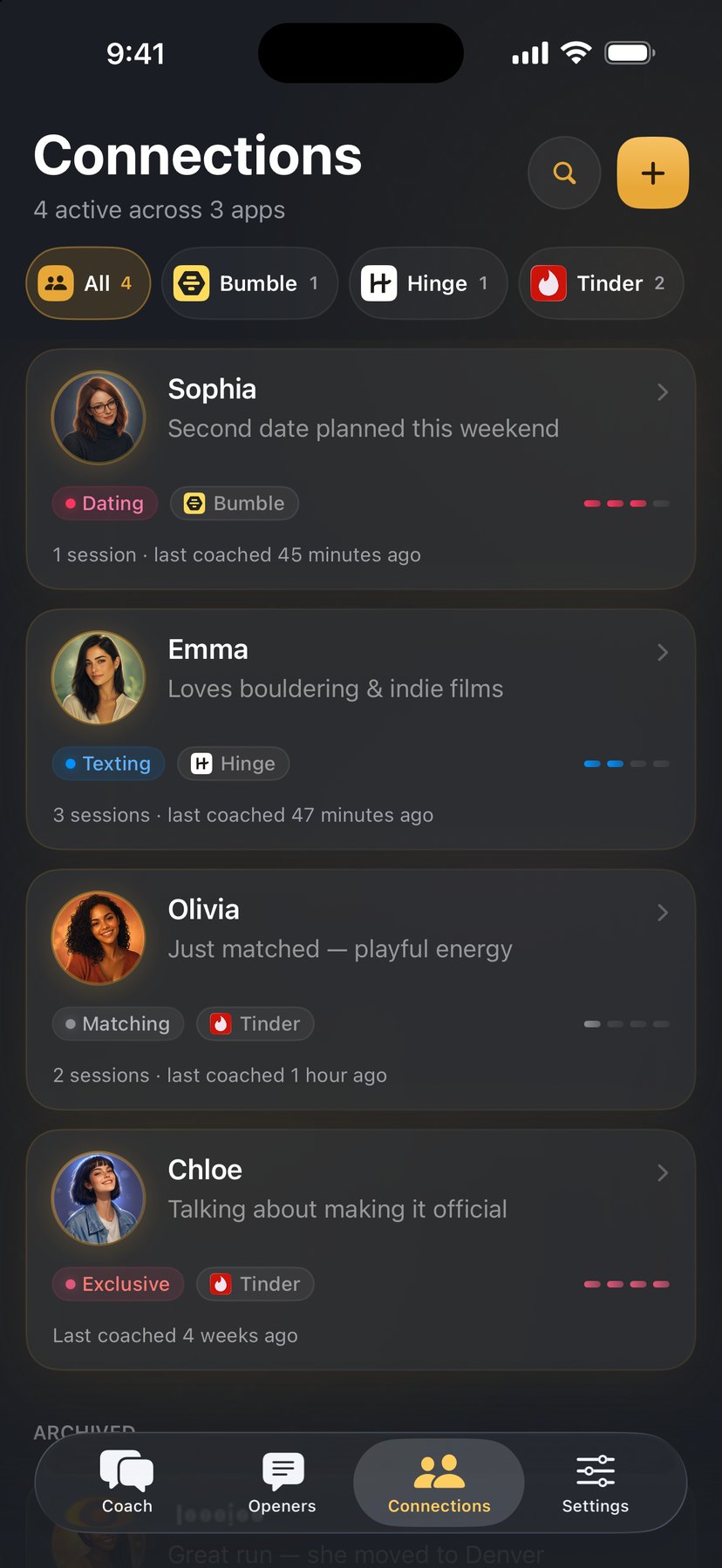
Keep a profile for everyone you're talking to, from first match to exclusive. Your coaches remember the history, so the advice fits where things stand.
Meet all four coaches at work, then Connections and the opener vault. Tap below to see them in Light or Dark.
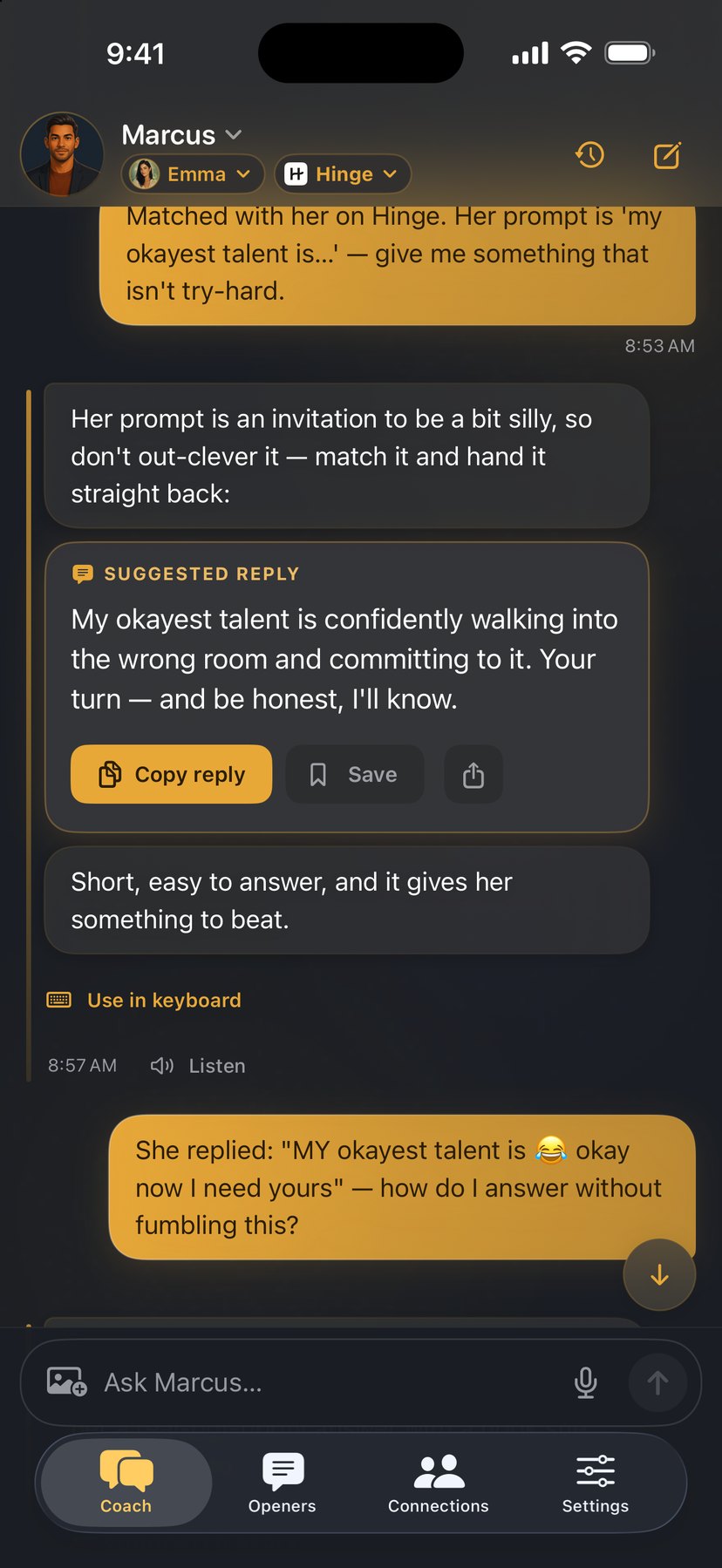
Marcus reads the whole thread and hands you a reply, with the reasoning behind it. You learn the why while you send the what.

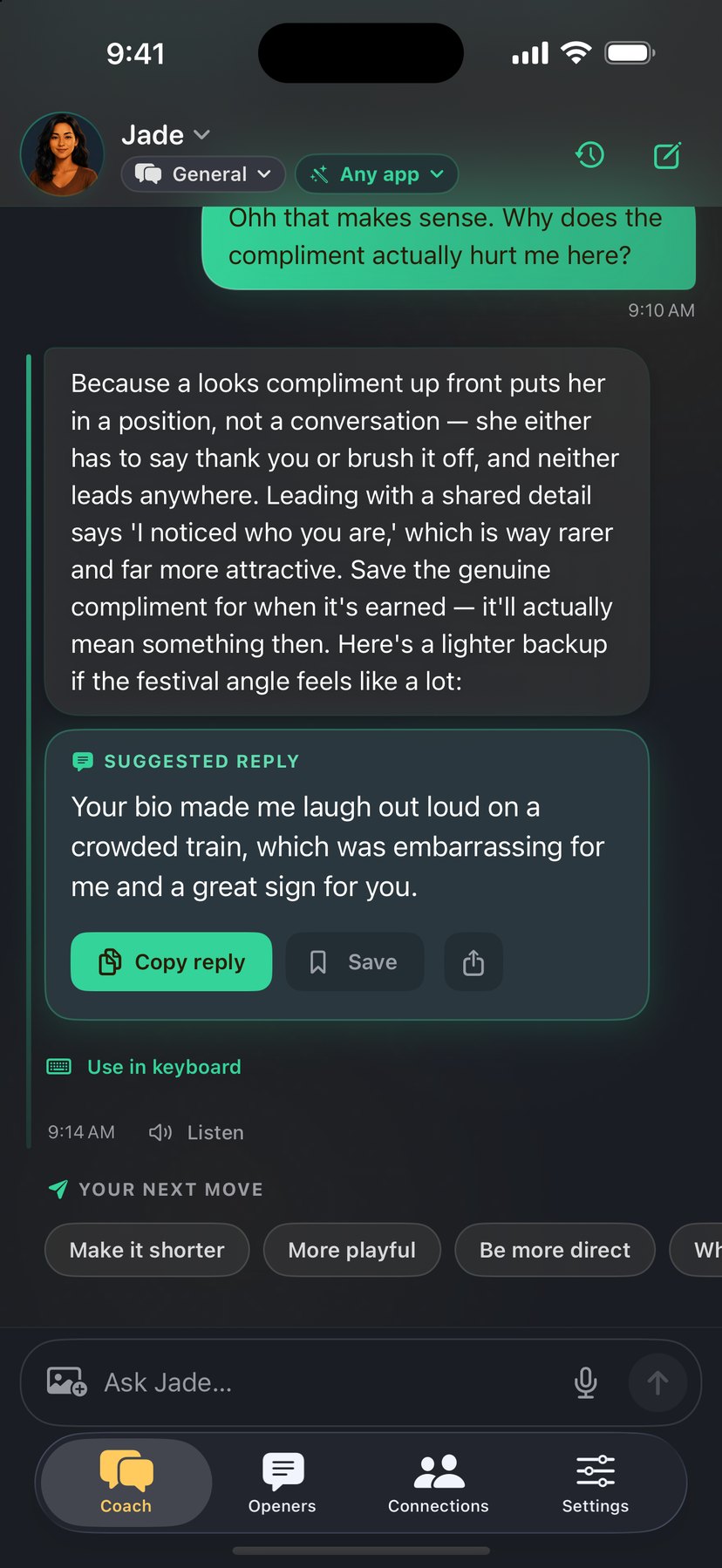
Before you hit send, Jade reads your message from the other person's side.

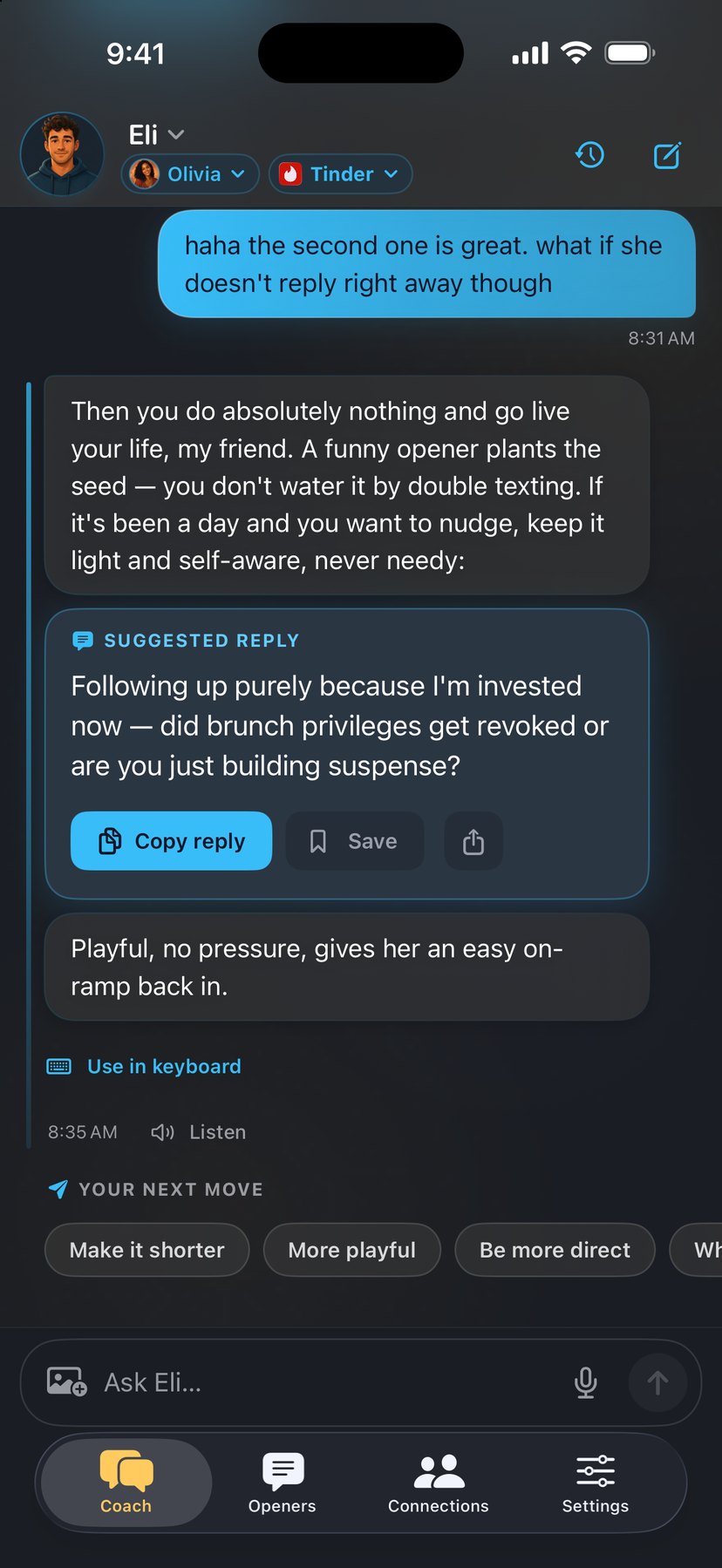
Eli riffs witty openers off a profile and keeps the banter loose. And when a thread goes quiet, he'll talk you off the double-text ledge instead of feeding the spiral.

Drop in a screenshot and Ava breaks the exchange down point by point, in plain language.

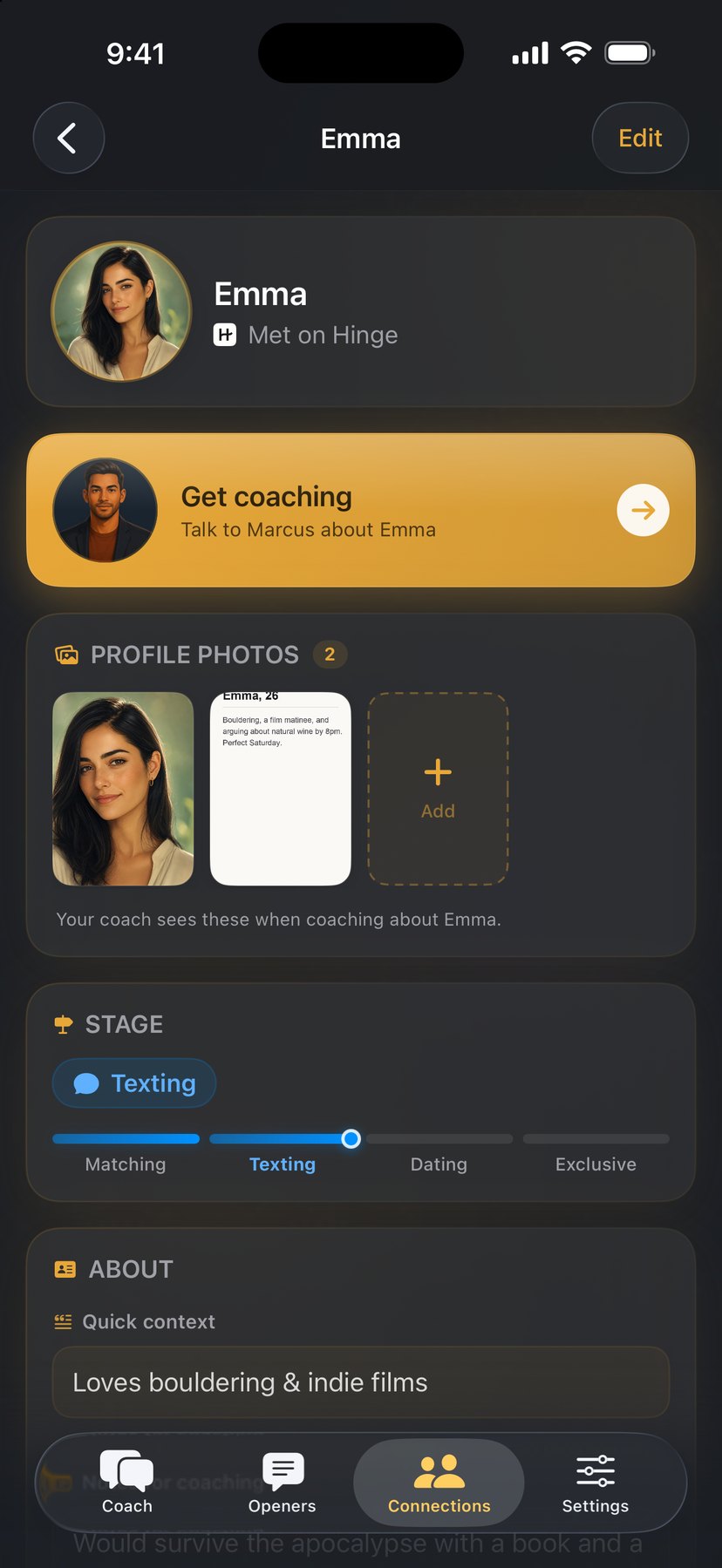
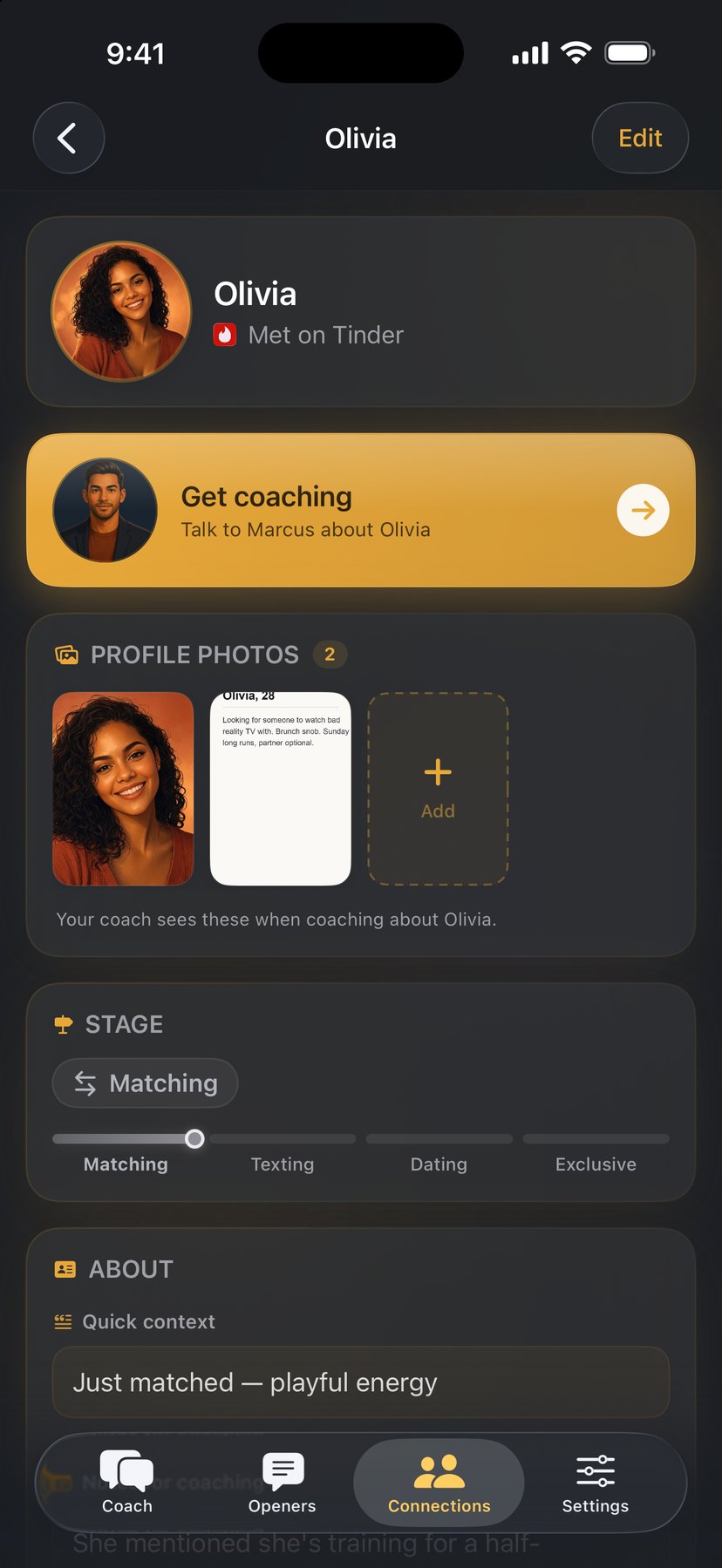
Everyone you're talking to gets a profile. Your coaches remember the details, so the advice fits the person.

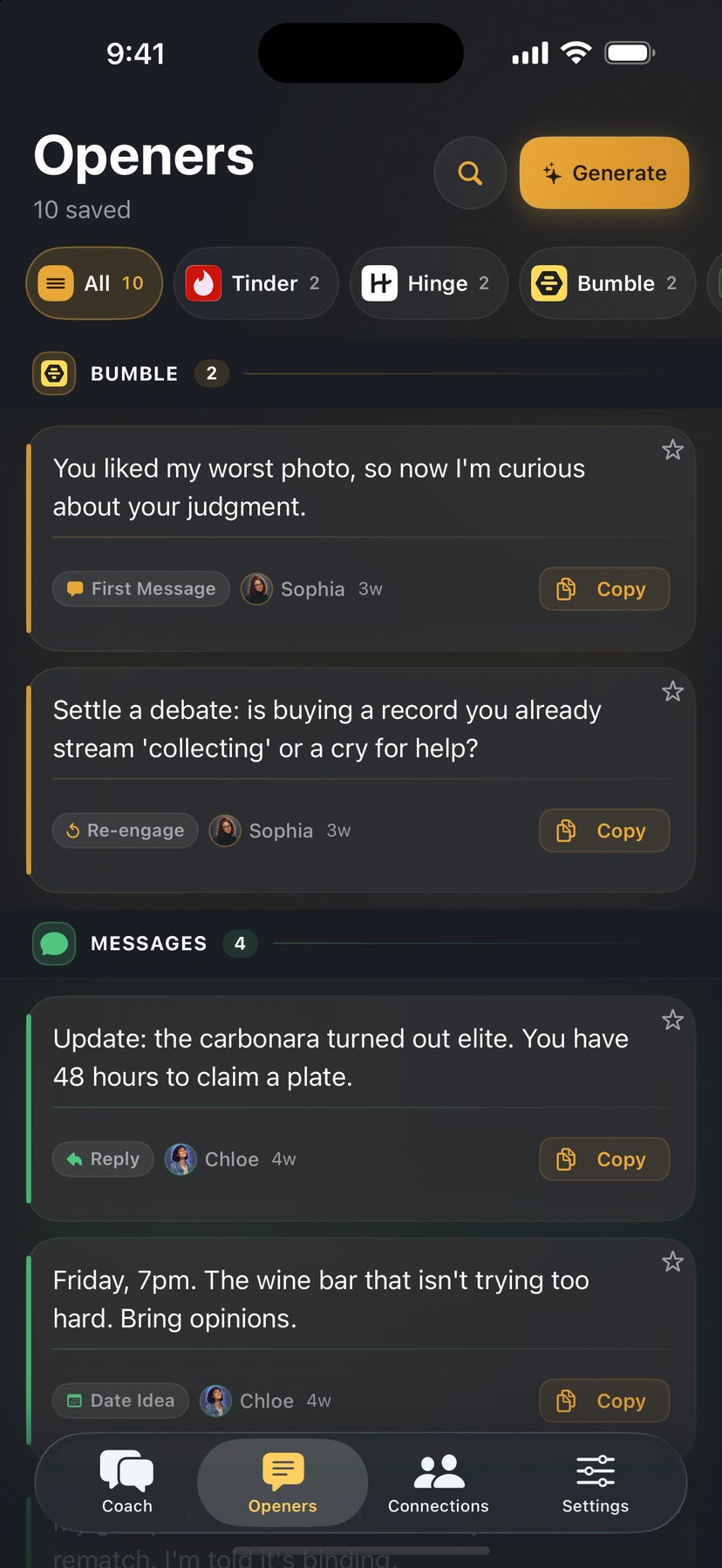
Save the openers you like and they're filed by app and by person, ready to reuse. Build a library of lines that sound like you.

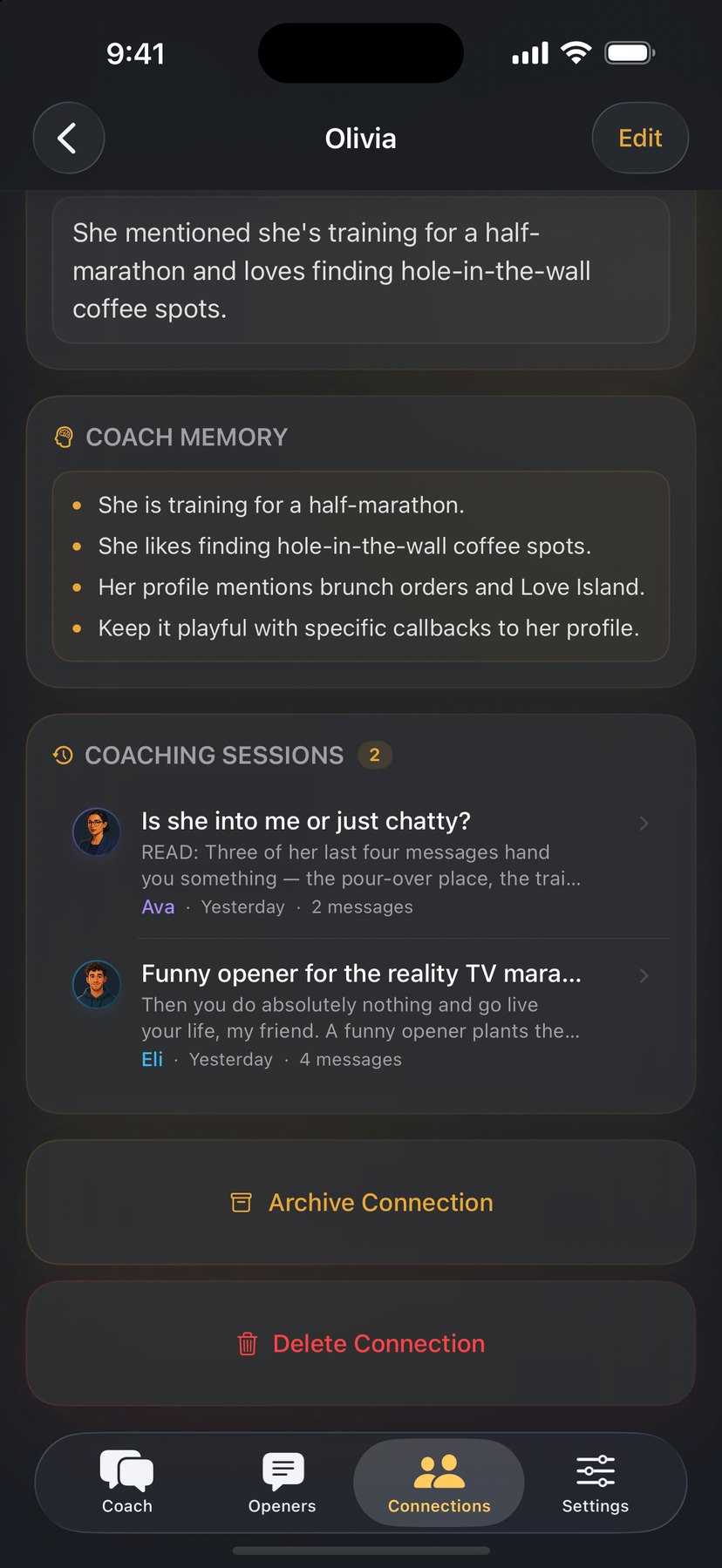
Screenshots of their profile, your private notes, and what your coach has learned, all in one place. Tap "Get coaching" and your coach is already caught up.


Light for the morning coffee, dark for the midnight text. Wingmate follows your phone, or you can choose in Settings.


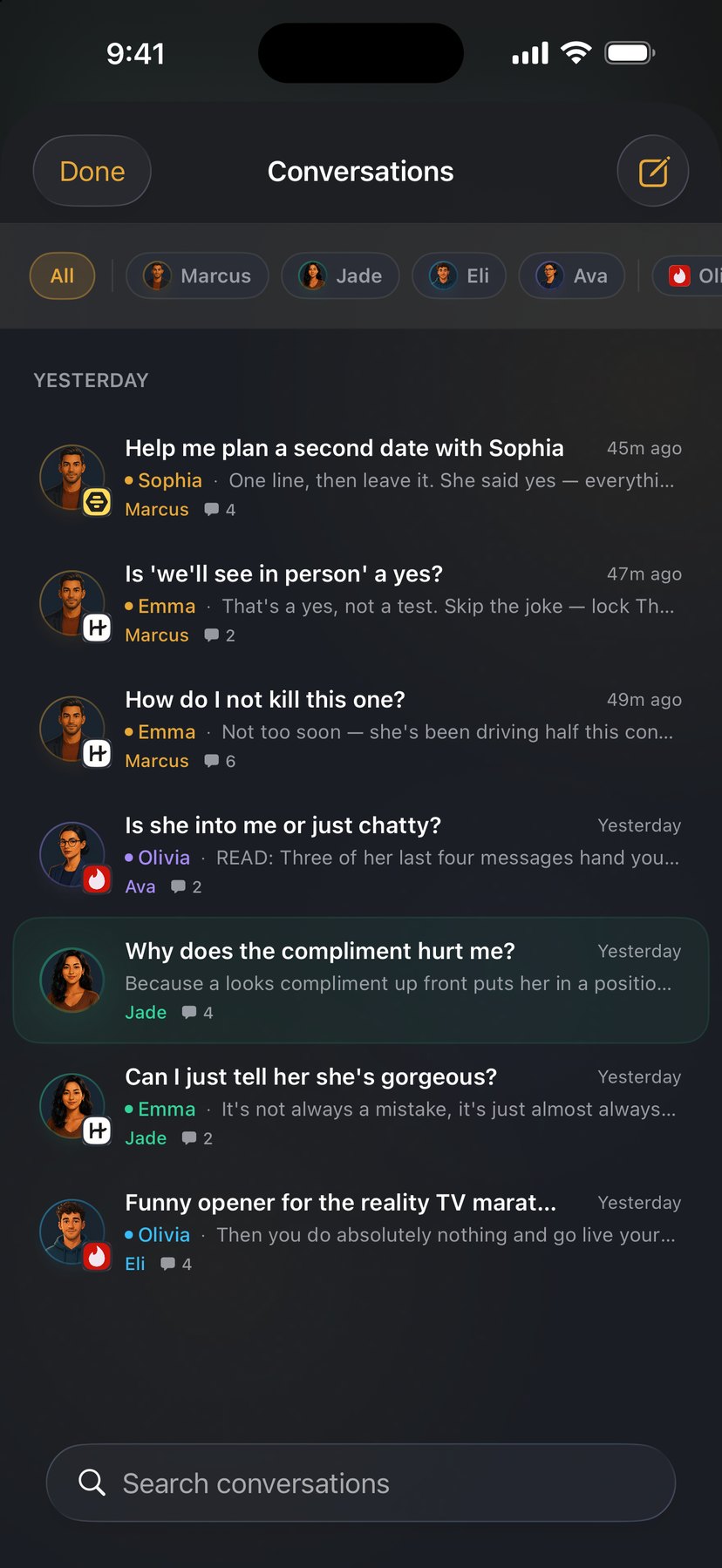
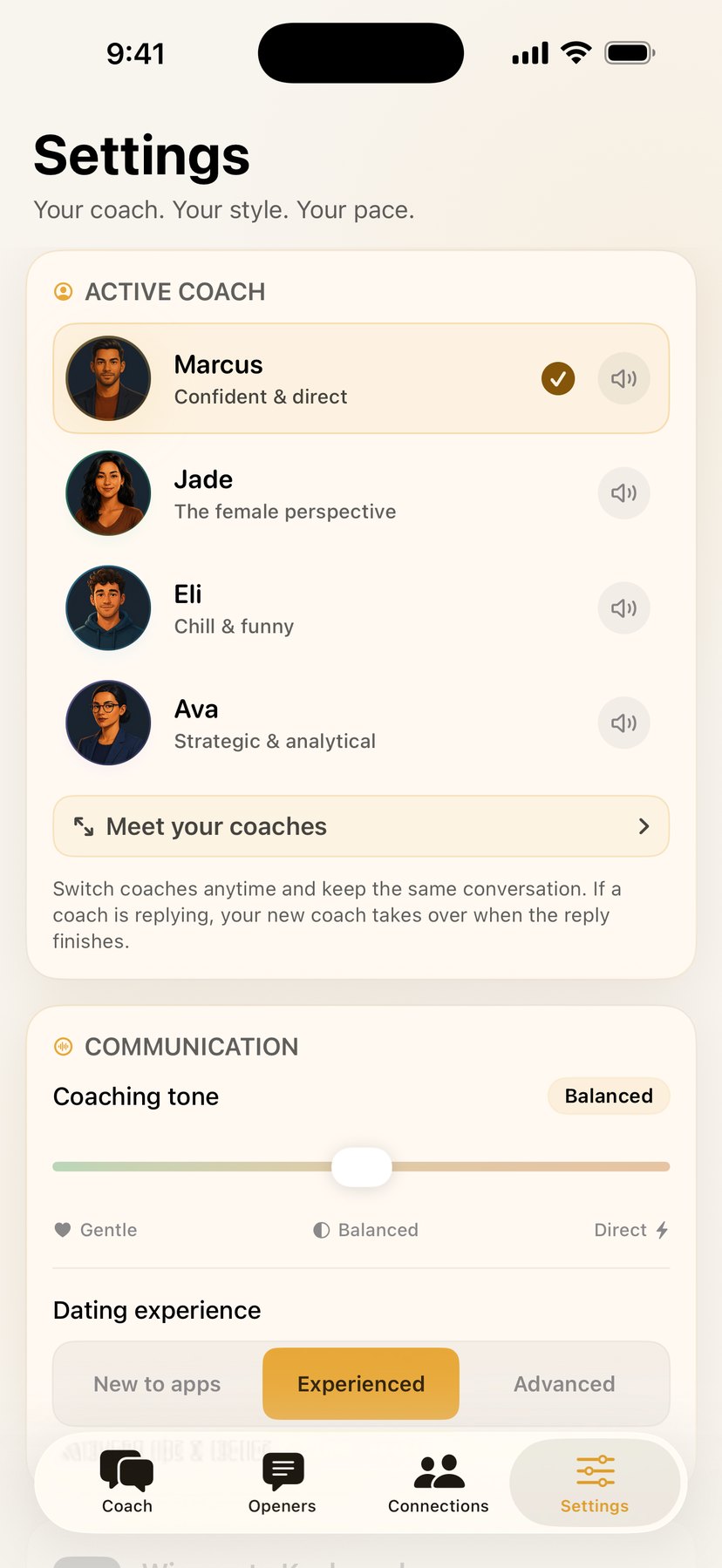
Pick the coach who fits the moment, ask another for a second opinion, or turn on Auto and let Wingmate choose.
Your bold wingman. Marcus gives it to you straight, then tells you exactly what to say.
Your candid, thoughtful guide. Jade reads the tone of an exchange and helps you come across the way you mean to.
Your laid-back coach. Eli brings the witty openers and the playful banter, and keeps things fun.
Your clear-thinking coach. Ava separates what was said from what you're guessing, then helps you choose a practical next step.
No quiz, no personality test. Just a coach and a conversation.
Choose Marcus, Jade, Eli, or Ava. Or let Auto pick for you.
Drop a screenshot, describe the person, or just say what's on your mind. Your coach already knows the platform and your history.
Specific advice, a reply to send, and the reasoning behind it.
Every app has its own rules. Your coach adjusts to each one.
No — it's the opposite. Wingmate is a coach for your real dating life. You talk to Marcus, Jade, Eli, or Ava about the conversations you're having, and they hand you replies to send. Nobody here plays a romantic partner. The whole point is what happens off the app.
No — Wingmate doesn't plug into Tinder, Hinge, Bumble, or anything else, and it isn't affiliated with them. You share what you choose: drop a screenshot of a thread or describe the situation, and your coach works from that.
They go to our server and on to the AI that writes your coaching. Our server doesn’t store your screenshots, screen images or messages. For keyboard and Share replies it keeps the suggested replies and a short summary for 30 minutes, so a retry doesn’t use another coaching message. Your connections, notes, openers, and chat history live on your phone, and you can clear your conversations in Settings. There's no account and no ads. The privacy policy has the full picture.
Only what’s on your screen when you tap Reply. The keyboard never sends what you type, and it can’t open profiles or earlier messages. When you tap Reply or New reply, it sends one picture of your whole screen — which can include notification banners — to our server and on to Anthropic to write a suggestion. The privacy policy explains exactly what’s sent and kept.
Yes — that's the Connections tab. Each person you're tracking has a profile: the platform, the stage things are at, your notes, and the details your coaches pick up along the way. All four coaches share that memory, so switching from Marcus to Ava for a second opinion doesn't mean starting over. It's all stored on your phone.
The free tier includes all four coaches, screenshot coaching, openers, connections, and date planning, with 3 coaching messages a day. Wingmate Plus raises that to 60 a day. Replies, screenshot reads, and openers all count as coaching messages, whichever coach you ask. Read-aloud has its own daily allowance, which Plus also raises. Prices are shown in the app.
On the App Store, for iPhone running iOS 17 or later. Download Wingmate — it's free to download with 3 coaching messages a day, and Wingmate Plus is a subscription that raises it to 60.
Four coaches, one shared memory, and a reply ready to send.
Download on the App Store