Your own plan for a craving.
Write down what you want to do the next time a craving shows up. When it does, open SOS. Your plan, the people you trust and a timer are in one place. Keep a recovery journal, track sober days across restarts, and choose whether to turn on AI replies.
Works alongside meetings, medication, and professional care.

Need help right now?
In immediate danger, call your local emergency number. The numbers below serve the United States.
- 1-800-484-3731 — Never Use Alone, if you're going to use by yourself
- 1-800-662-4357 — SAMHSA National Helpline, free and confidential, 24/7
- findtreatment.gov — find care near you
- 1-800-GAMBLER — for gambling
These are US numbers. On an overdose call, ask for naloxone — many states have Good Samaritan laws for making that call. Alder is not an emergency service and no one at Alder sees your messages in real time, so if someone is in danger, call.
Your recovery, in your own words.
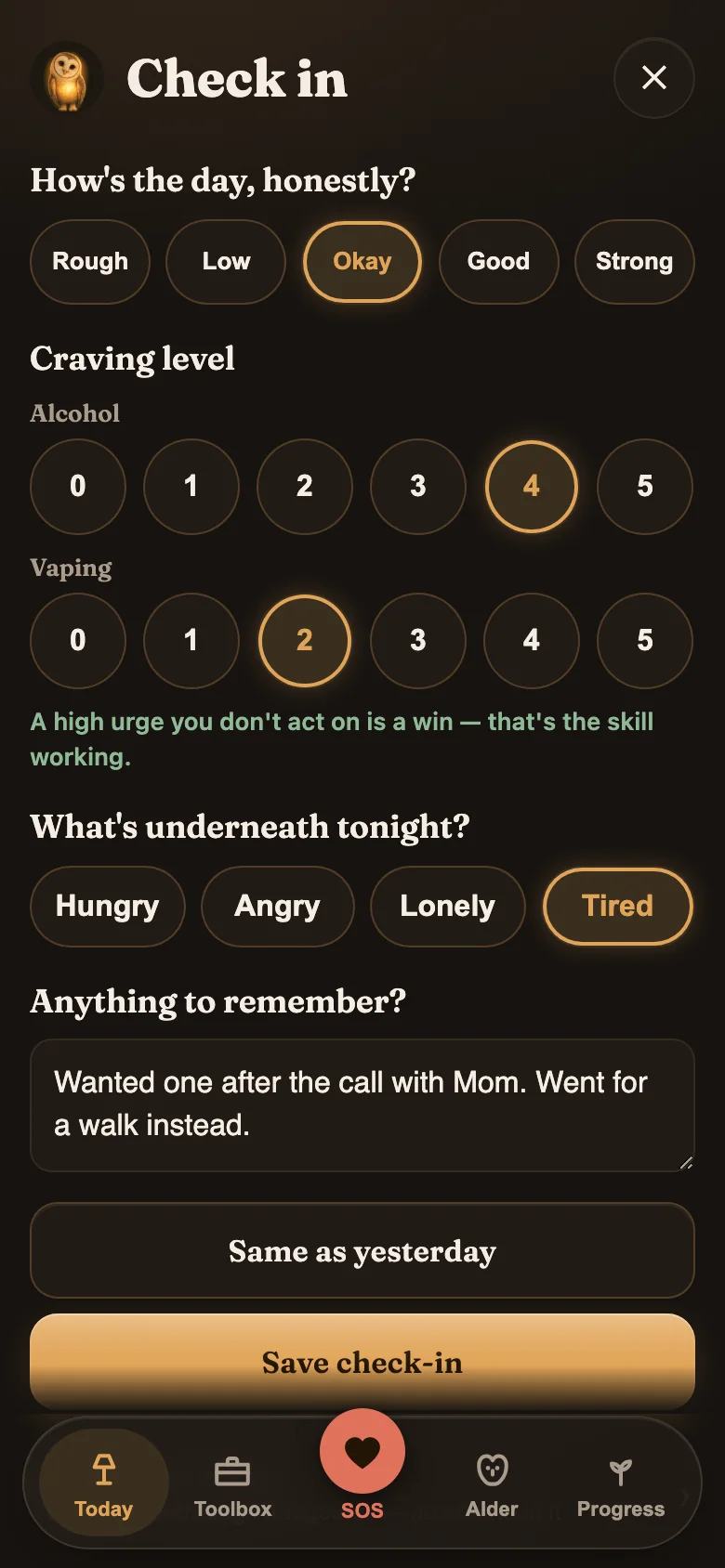
Prepare for a familiar trigger, check in, and keep a record of the days you've built.
-
Say what you're stepping away from
Alcohol, a substance, vaping, gambling, whatever it is. Pick one or several, and each gets its own clock.
-
Make a plan before you need it
Save a next-time plan in your own words. When an urge hits, find it in SOS alongside your people and the ride-it-out timer.
-
If it breaks, you get back up
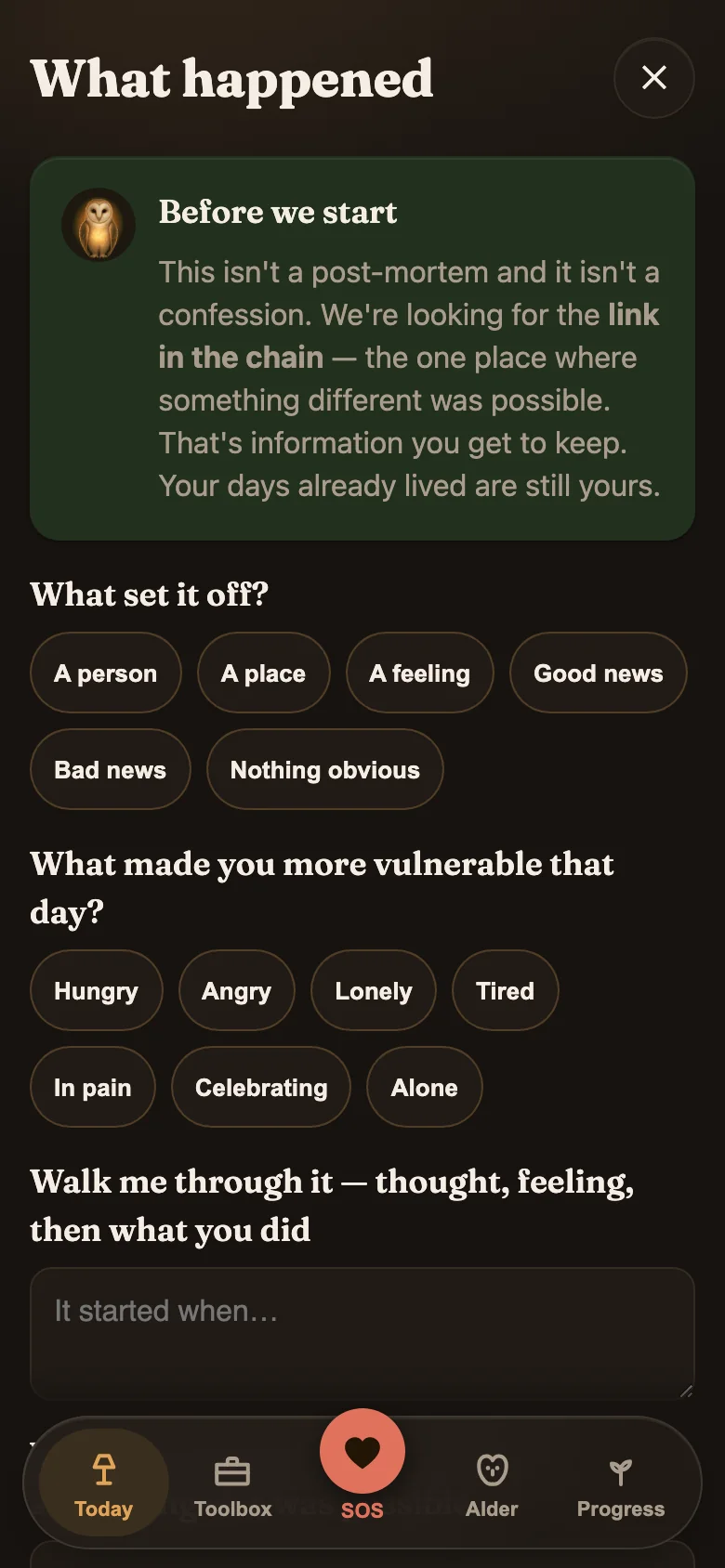
A lapse opens a debrief: what happened, what came before it, what you'd want next time. Your count keeps running unless you choose to count from today, and every day you kept stays in your total.

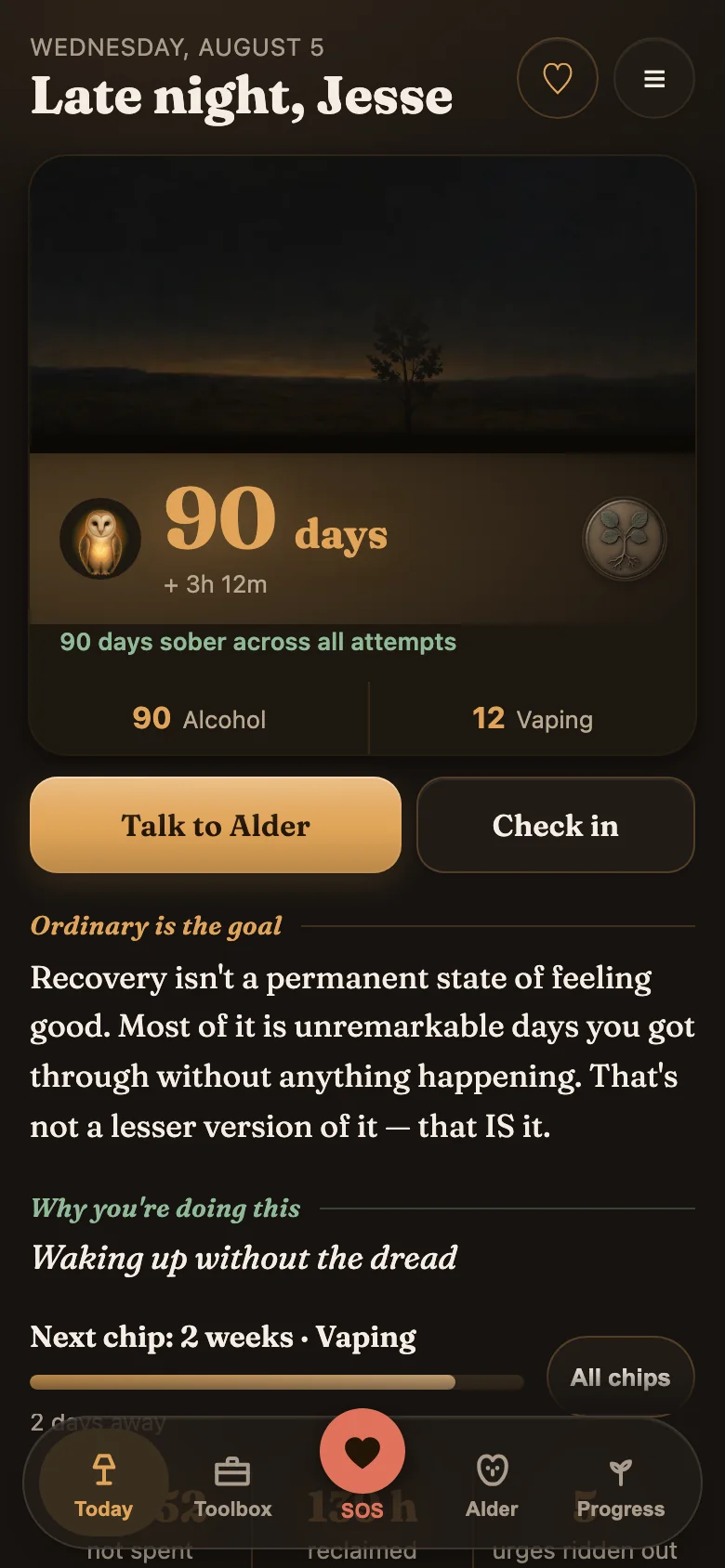
Each thing you're stepping away from keeps its own quiet clock. A hard week with one doesn't erase what you've built with another.
Ready for the hard hours.
Everything is made to be used one-handed, in the dark, by someone who isn't at their best.
A clock for each thing
A separate count for each, plus a running total across every attempt. A restart never zeroes out your history.
Talk to Alder
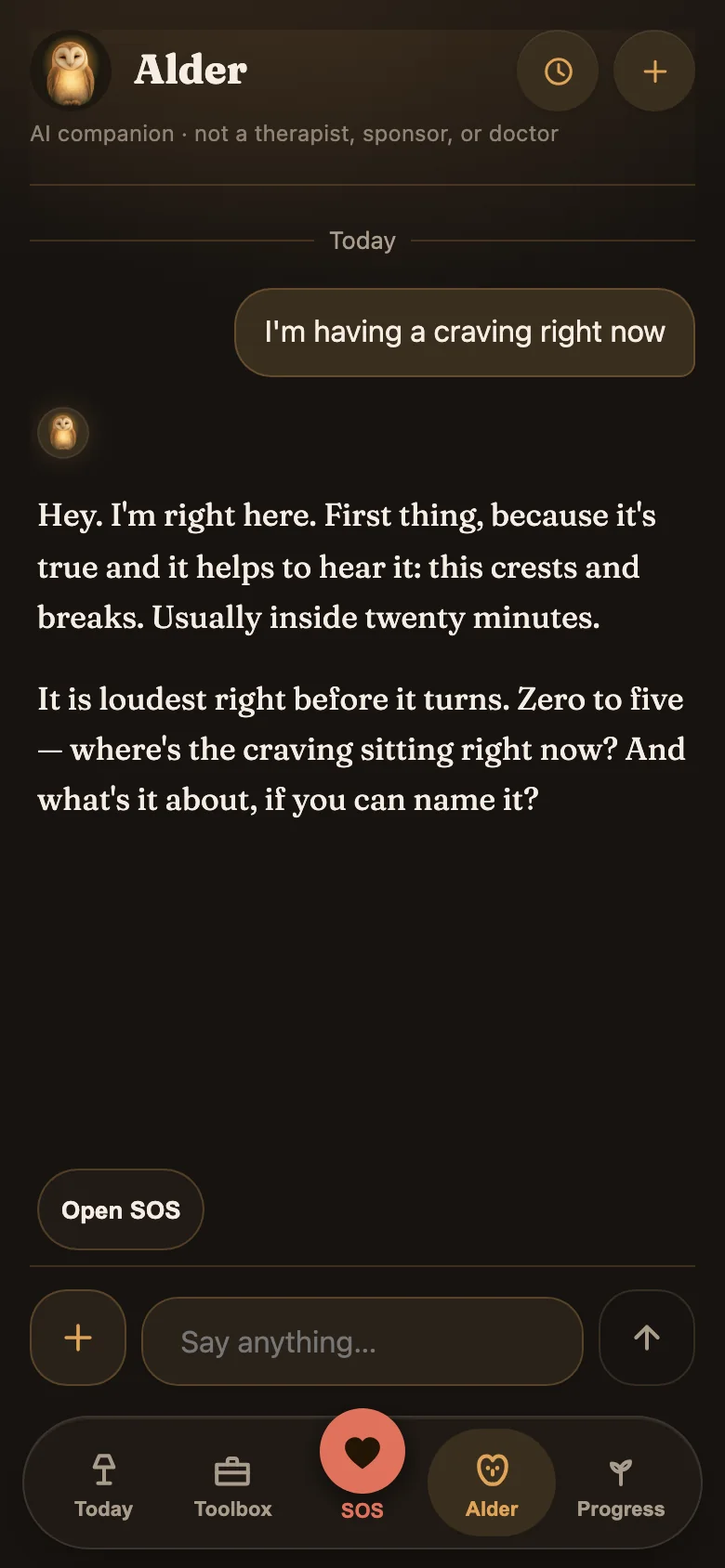
An owl companion that's up at any hour. It listens, stays calm, and doesn't judge what you tell it.
SOS, one tap from anywhere
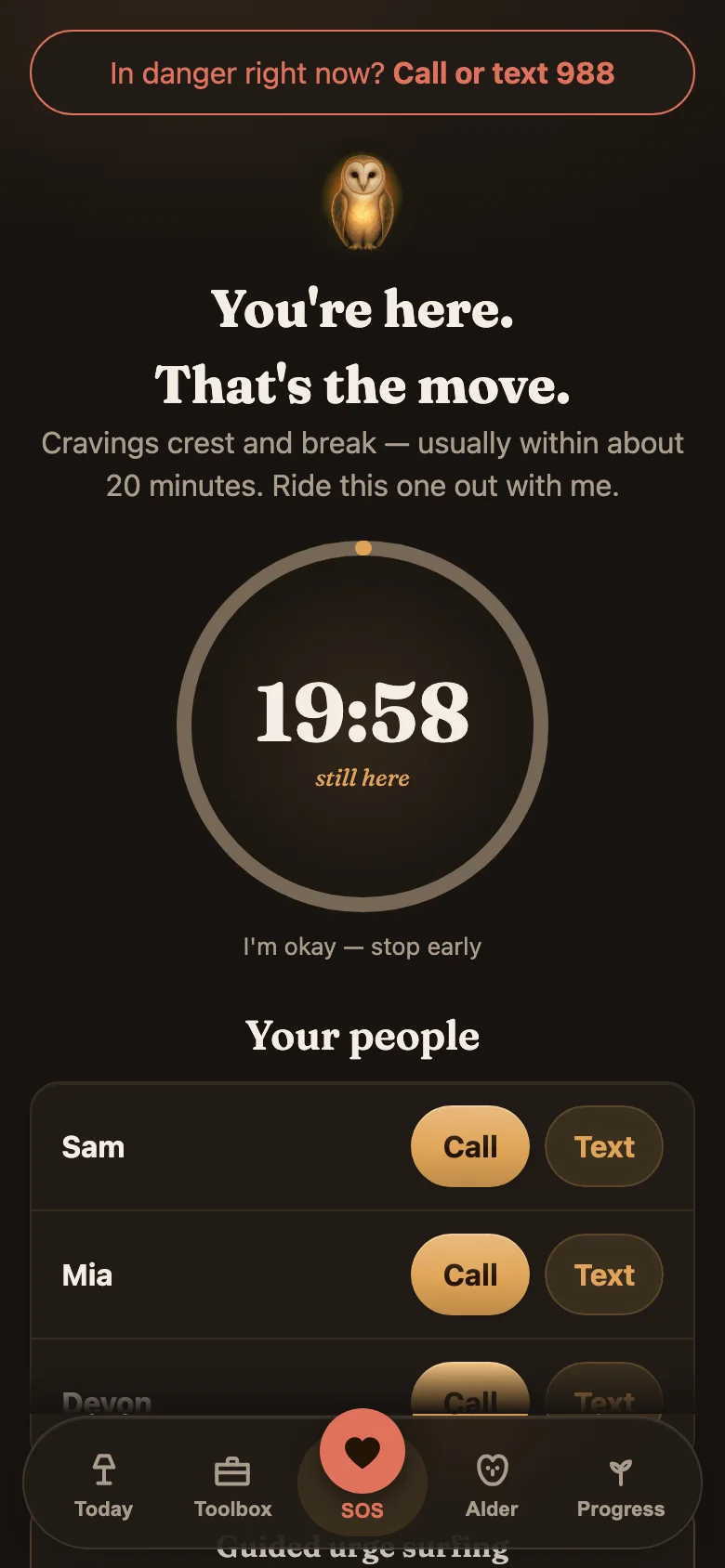
A ride-it-out timer for when an urge peaks, plus your people and the crisis numbers. Always reachable, and never behind a payment.
A toolbox to reach for
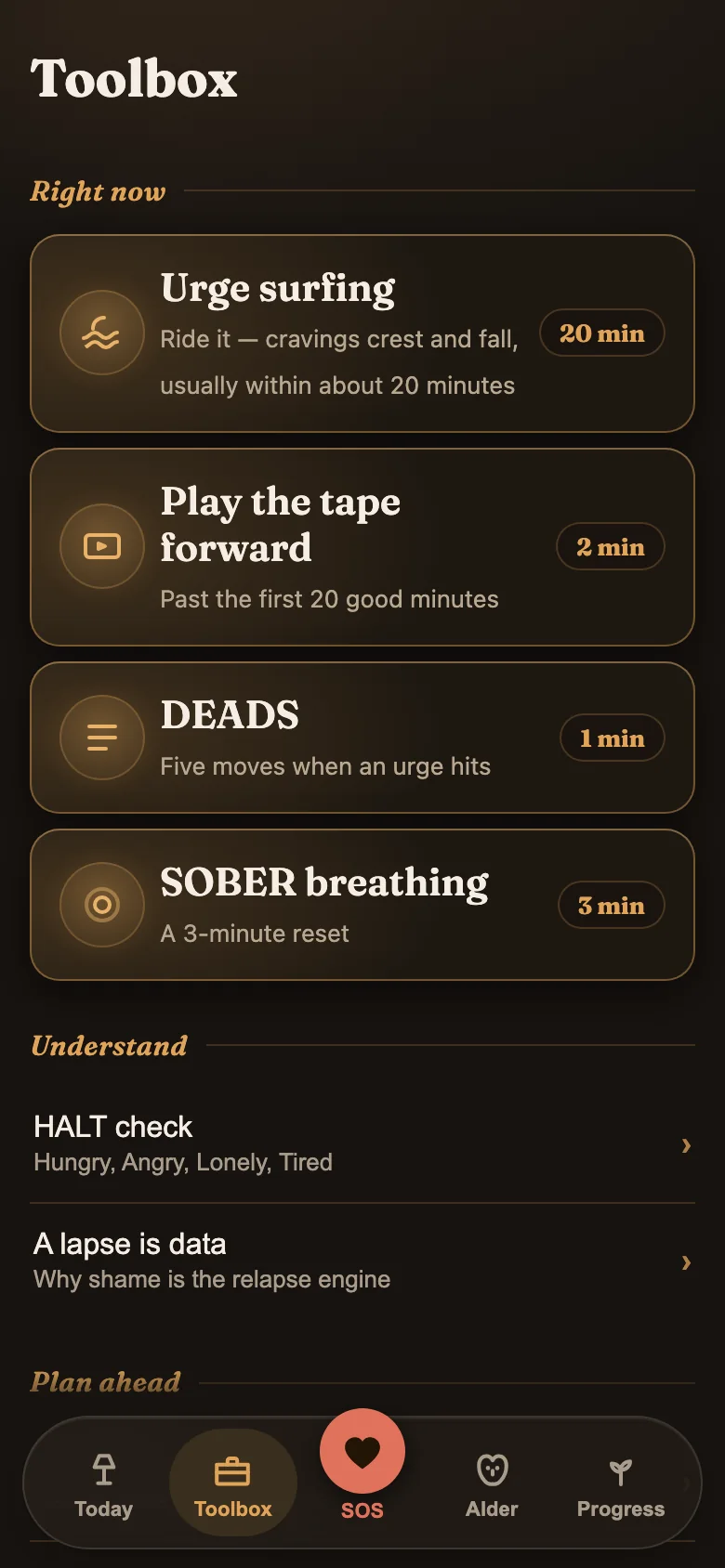
Short, practical things to do when waiting it out isn't enough. Urge surfing, playing the tape forward, SOBER breathing, and more.
Progress worth looking at
The urges you rode out and the milestone chips you've earned, in one quiet record.
Private by default
No account, no ads. Your recovery record lives on your phone, and the privacy policy explains what is shared when you request a cloud AI reply.
Points outward, on purpose
Alder steers you toward people: the ones you listed, a helpline, or professional care.
Warm, dim, and quiet.
Every screen below was shot at 3:12 in the morning, the hour Alder was made for. No sirens, no red alarms, no cheerful shouting. It switches between light and dark with your phone.
A lapse is information, not a verdict.
Most trackers treat the day you slip as the day you failed. The number goes to zero, the confetti stops, and the app becomes something you avoid. That's the day you need it most.
- Alder never shames a lapse. It's a rule, and we test for it.
- The debrief asks useful questions. What led up to it, what it cost, what you'd want next time.
- Your total time keeps counting across every attempt. Eighty-seven days happened whether or not day eighty-eight did.
- Then it points outward. To the people you listed, or to help that isn't an app.
Each chip comes with a letter.
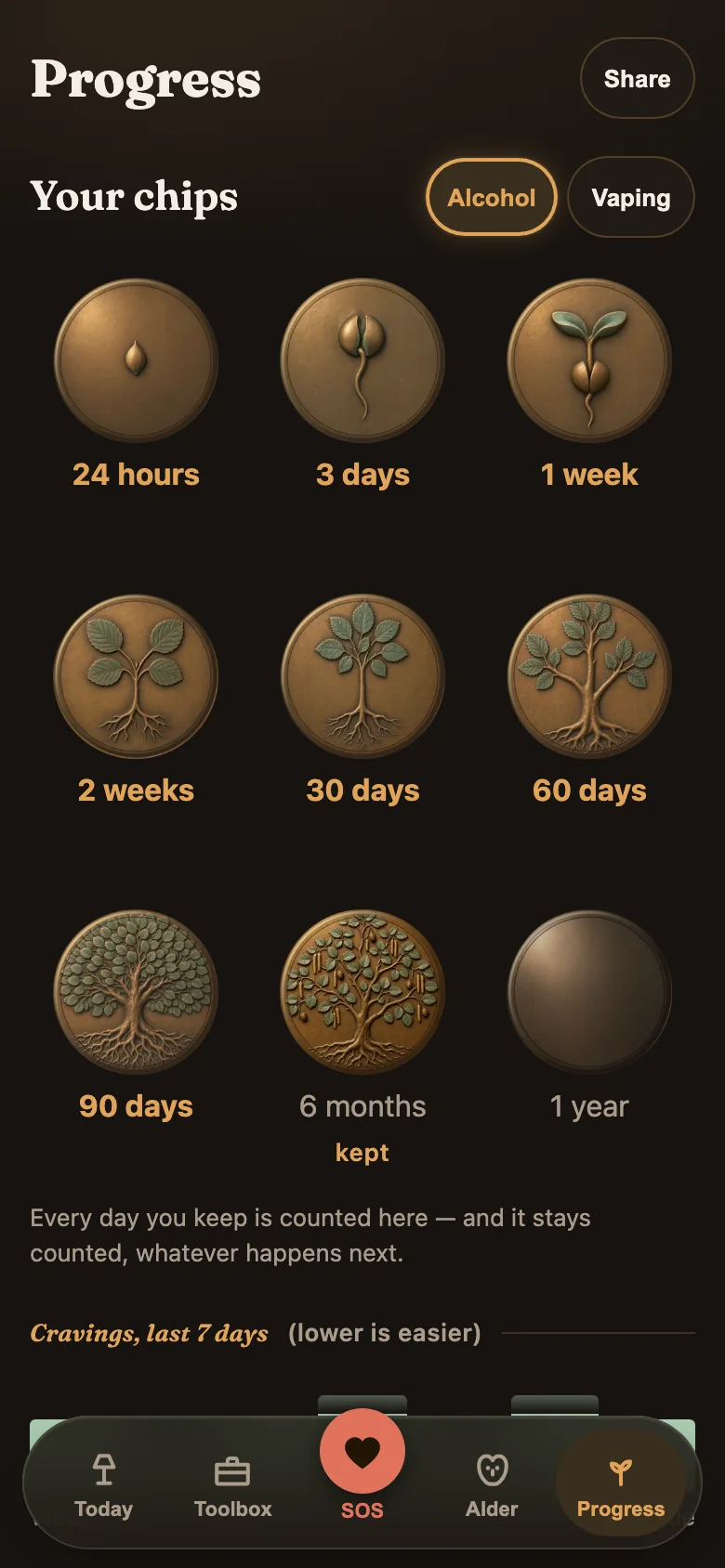
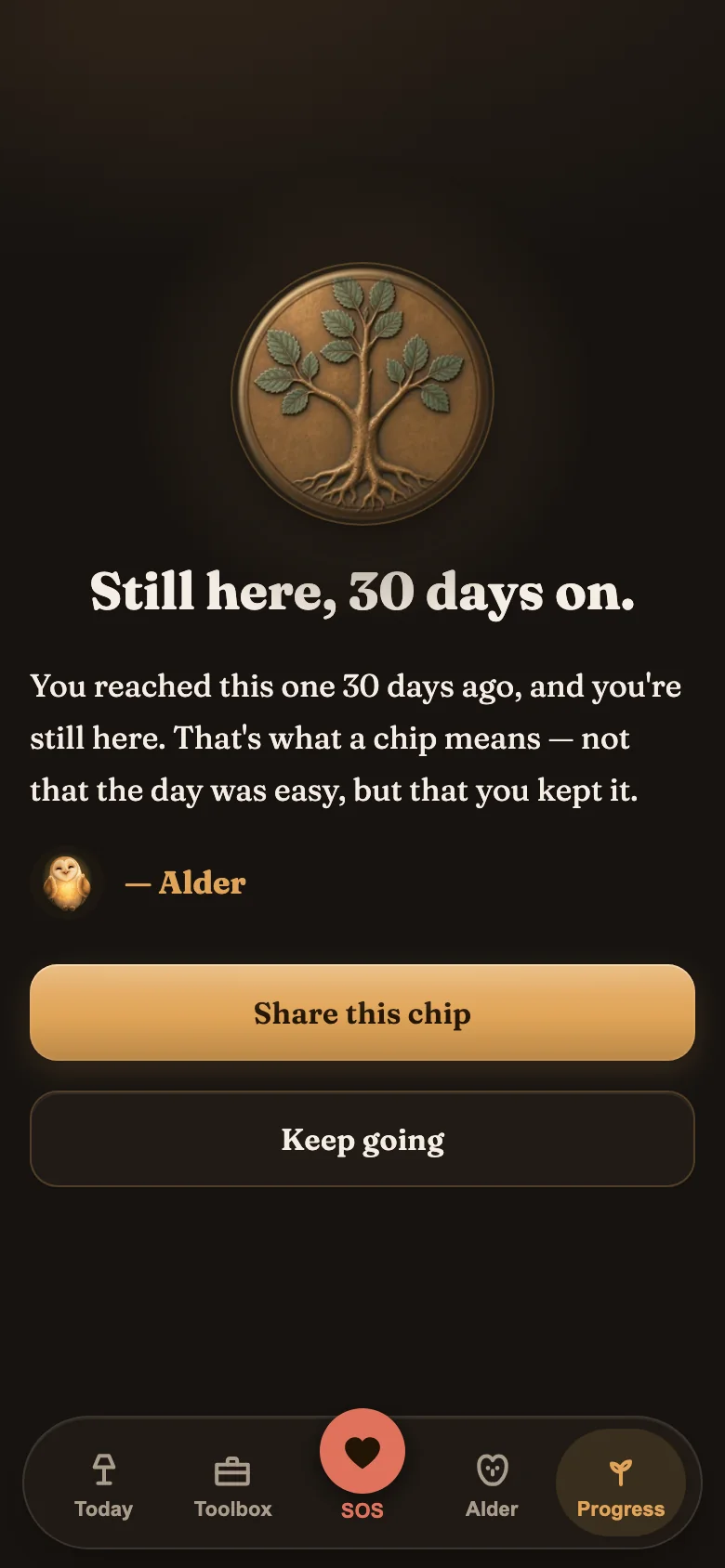
Nine chips, from day one to a year. Tap one you've earned and Alder writes you a short note about it.
 30 days
 90 days
 One year
- No confetti, no coins, no jackpot. Slot-machine rewards have no place in recovery.
- They arrive quietly. Share one as a card, or keep it to yourself.
What Alder is, and what it isn't.
Clear lines matter in recovery. Here are Alder's.
Alder does
- Keep your sober time, across one thing or several
- Talk with you when an urge hits, at 3am if that's when it comes
- Sit with you while a craving crests and passes, with a timer and something to do
- Give you a place to log what happened, without judgment
- Help you get back up after a lapse and keep going
- Point you toward your people, a helpline, and professional care
- Keep the crisis numbers reachable, always, for free
Alder does not
- Work as a therapist or a doctor — it's an AI companion
- Provide therapy, counseling, or clinical care of any kind
- Diagnose anything, or tell you how severe your situation is
- Give detox, tapering, or dosing guidance for any substance
- Discourage medication, meetings, or professional care
- Shame you for a lapse, predict one, or tell you that you're cured
- Stand in for the people in your life
- Have a person reading along in real time
Medication for opioid or alcohol use is recovery, whether that's buprenorphine, methadone, or naltrexone. Alder will never suggest otherwise.
Your recovery is your business.
Your recovery journal works without an account. You can check in, use SOS and keep your plans on your phone with cloud AI turned off.
- Optional cloud replies. With your permission, your message and selected details, including your last seven check-ins, go to Alder’s server and Anthropic.
- Export or delete your records. In You › Privacy, each action asks Alder’s server for the records tied to your installation. It sends the installation identifier even with cloud AI off.
- No ads or third-party analytics. We do not sell your data or share it for advertising.
FAQ
Is Alder therapy?
No. Alder is an AI companion — not a therapist or a doctor, and not a stand-in for the people who support your recovery. It keeps your sober time, sits with you through hard moments, and points you toward real support. It doesn't provide therapy, counseling, or clinical care, and using it doesn't create a professional relationship with anyone. It won't replace meetings, medication, or professional care; it works alongside them.
Am I talking to a real person?
No. Alder is an AI companion, and it tells you so. A label sits at the top of the chat screen, and Alder reminds you what it is as time goes on. Nobody reads your messages as you send them, and Alder can't call for help on your behalf, so the crisis numbers are always one tap away.
What happens if I relapse?
You get a debrief, not a lecture. Alder asks what happened, what led up to it, and what you'd want to do differently. The time you'd already put in still counts toward your total across all attempts.
Can I track more than one thing?
Yes. Alcohol, substances, vaping, gambling and more can each have their own clock, so a hard week with one doesn't wipe out what you've built with another.
Will it tell me how to detox or taper?
No. Alder gives no detox, tapering, or dosing guidance of any kind. Stopping some substances abruptly, alcohol among them, can be dangerous, and that's a conversation for a medical professional. Alder will tell you so and help you find someone.
Does it work with medication-assisted recovery?
Yes. Buprenorphine, methadone, and naltrexone are recovery. Alder will never treat medication as cheating or nudge you away from it.
Is my data private?
There’s no sign-in. Your journal is stored on your phone. When you choose cloud AI replies, Alder sends your message and selected recovery details to its server and Anthropic. Chat answered on your device stays there. We do not sell your data or share it for advertising. Details are in the privacy policy.
What does it cost?
Your recovery journal and tools are free to use. Alder Plus is an optional monthly or annual subscription billed by Apple. The app shows the price in your currency before you subscribe. You can try everyday AI conversations with five free completed replies, once per device. The preview does not reset each day or start a subscription. After the preview, Alder Plus provides everyday AI conversations and a more capable conversation model. Safety conversations, SOS and active-urge support do not use the preview and remain available without Plus. Your counter, check-ins, urge log, milestones and the slip debrief are never paywalled. The SOS screen and the crisis numbers are never metered, limited, or put behind a payment.
When can I use it?
Alder isn't on the App Store yet. It's coming to iPhone for adults 18 and over. Send us a note and we'll email you the day it launches.
Who is Alder for?
Adults 18 and over who want private support for the hours when the people in their life can't be there. You might be in a program, in treatment, going to meetings, or doing this on your own for now.
For the hours nobody else is up.
Alder is coming to iPhone. Send us a note and we'll email you the day it launches.
Email me at launchAlder is an AI companion. It is not a therapist or a doctor, and it doesn't replace meetings, medication, professional care, or the people who support your recovery. It does not provide therapy, counseling, or clinical care, does not diagnose, and gives no detox, tapering, or dosing guidance. It is not an emergency service and is not monitored by a person. In an emergency, call your local emergency number. In the US, call 911 for emergencies. For other US support, you can call or text 988, or reach the SAMHSA National Helpline at 1-800-662-4357. Never delay care because of something in this app. For adults 18+.